
What Is EPG on IPTV? Full Guide for 2026
EPG (Electronic Program Guide) is the TV schedule inside your IPTV player. It shows you what's playing now, what's coming next, and the full weekly program lineup for each channel.
Think of it as a digital TV guide or a list with all the information you need; fully integrated into your IPTV app.
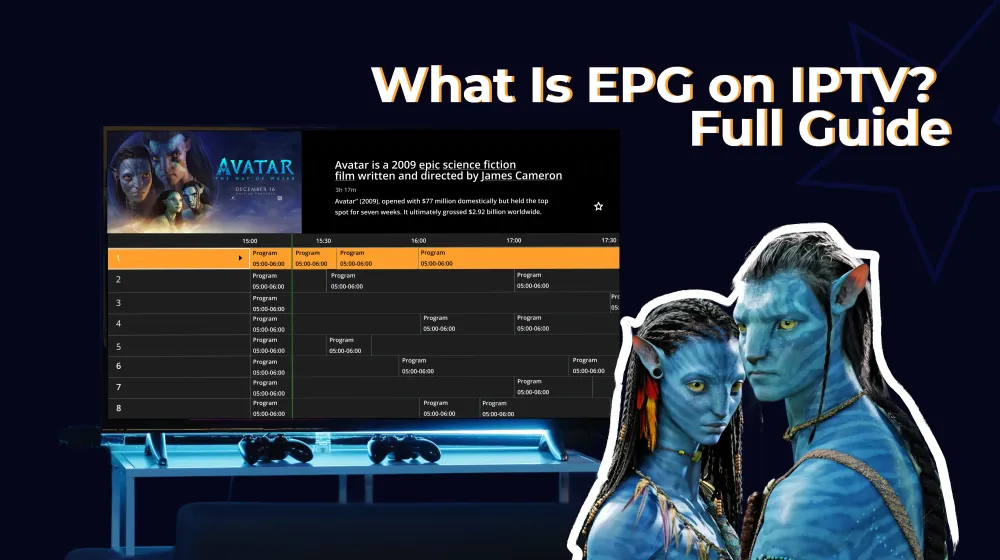
Here is how EPG looks on an IPTV media player:
How EPG Works in IPTV Players?
Because an EPG is a dynamic, list-style guide, your IPTV provider updates it continuously (like every 12-24 hours), so all you have to do is open the app, sit back, and enjoy.
Modern EPG systems made it more enjoyable for you with features like catch-up, series metadata, reminders, images, and deep search. So, your IPTV feels just as premium as a built-in Smart TV guide.
How EPG Works in 3 Simple Steps
1. Your IPTV player downloads the EPG file
It fetches an XMLTV file or an EPG URL from your provider that contains all channel schedules, program titles, and metadata.
2. The player matches channels with their schedules
Using tags like tvg-id, the app links each channel in your playlist to the correct program list and converts all timestamps to your local time.
3. The TV guide is built and displayed
The player turns that data into a visual guide, showing you what's on now, what's next, and (if supported) adding features like catch-up, program details, images, and reminders.
Benefits of EPG for IPTV Users
- Easier channel browsing: Quickly see what's on across all channels.
- Instant "Now & Next" info: Know what's playing and what's coming up.
- Better content discovery: Find new shows without channel hopping.
- Detailed program info: Get descriptions, genres, and episode details.
- Catchup support: Watch past programs directly from the guide (if available).
- Never miss a show: Set reminders for upcoming programs.
Types of EPG in IPTV Players
There are many types of EPGs like single-channel guides, multi-channel guides, and even interactive vs non-interactive versions.
But in IPTV, these four are the ones you'll encounter most often: Grid (Timeline) EPG, Vertical (List) EPG, Minimal EPG ("Now & Next" bars), and Advanced EPG with Metadata.
1. Grid (Timeline) EPG
A traditional cable-style "horizontal timeline" that shows channels in rows and time slots in columns. Users can browse many channels at once and compare what's playing across the entire lineup.
2. Vertical (List) EPG
A simple, remote-friendly layout where channels appear in a vertical list on one side of the screen while their current and upcoming programs display on the other. This makes it easy to scroll through channels and view schedule details.
3. Minimal EPG
A lightweight "Now & Next" guide that displays only the current program and the one coming up next, offering fast, unobtrusive information for users who want quick updates without opening a full EPG.
4. Advanced EPG with Metadata
A richer, more visual guide that includes cover images, long descriptions, genres, ratings, and season/episode details. This creates a premium browsing experience similar to what you'd find on modern streaming platforms.
Summary: EPG Layout Comparison Table
| EPG Type | Best For | Main Downside |
|---|---|---|
| Grid (Timeline) EPG | Users who want a traditional cable-style guide and need to compare many channels at once | Overwhelming and heavy; slow on older TVs |
| Vertical (List) EPG | Fast scrolling with remote controls; mobile-friendly apps; users who want simple navigation | Doesn’t show all channels/time slots at once, so comparison is limited |
| Minimal EPG (Now & Next) | Quick channel zapping; users who want light, fast info without opening a full guide | Very limited information, no full timeline or deep browsing |
| Advanced EPG with Metadata | Premium Smart TV experiences; users who love detailed info, images, trailers, and episode data | Data-heavy, needs strong EPG sources and can be slow on weaker devices |
Looking for an IPTV media player with a simple, easy-to-navigae EPG? IPTV Star is your best choice!
EPG Formats: XMLTV vs Others
EPG formats are the data file types used to deliver TV program schedules to IPTV players.
The most common format is XMLTV(mentioned above), but some systems also use JSON, CSV, or proprietary broadcast formats. These files contain channel information, program titles, times, and metadata that the app uses to display the TV guide.
Let's compare these 3 main formats the main features a EPG should have.
EPG Format Comparison Table
| EPG Feature | XMLTV | JSON | CSV |
|---|---|---|---|
| Standardized for IPTV | ✔️ Yes (industry standard) | ➖ Partially (used in modern APIs) | ❌ No |
| Supports Channel List | ✔️ Yes | ✔️ Yes | ✔️ Yes |
| Supports Program Titles | ✔️ Full support | ✔️ Full support | ✔️ Full support |
| Start/End Times | ✔️ Good | ✔️ Good | ✔️ Good |
| Rich Descriptions | ✔️ Full support | ✔️ Full support | ➖ Limited |
| Images & Thumbnails | ✔️ Supported | ✔️ Supported | ❌ Not supported |
| Genres / Categories | ✔️ Native | ✔️ Native | ❌ Not native |
| Season & Episode Metadata | ✔️ Provides | ✔️ Provides | ❌ No metadata |
| Catchup / Timeshift Timestamp Accuracy | ✔️ Excellent | ✔️ Excellent | ❌ Poor |
| Interactive Features (search, reminders) | ✔️ Supported by most apps | ✔️ Via custom logic | ❌ Not supported |
| Performance | Moderate (larger files) | Fast (lightweight) | Very fast (but simple) |
| Compatibility with IPTV players | ⭐ Extremely high | ➖ Medium | ❌ Very low |
| Best Use Case | IPTV, Smart TV apps, M3U playlists | Custom OTT/FAST apps, APIs | Internal tools, preprocessing |
Summary
XMLTV: Best for IPTV and Smart TV players; richest, most compatible format.
JSON: More modern and flexible, great for APIs but not universally supported.
CSV: Simple and fast but missing critical metadata; mostly used internally, not for actual players.
How Providers Add EPG to an IPTV Player
As noted before, an EPG isn't generated by the media player; it's provided by your IPTV service.
Here are the main sources an IPTV player can use to load the TV guide:
- The IPTV provider offers an EPG URL
- The playlist (M3U) often includes tvg-id, tvg-name, tvg-logo tags
- The IPTV player matches channels with the EPG source
So how do you add EPG to your IPTV player?
Here we describe the process as simple as a day:
Step 1: Your IPTV provider gives you an EPG URL
Usually an XMLTV link that contains all the program schedules.
Step 2: You add that EPG URL to your IPTV player
Most players include an "EPG," "Guide," or "XMLTV URL" field in their settings.
Step 3: The player links your playlist to the EPG
It uses tags like tvg-id, tvg-name, and tvg-logo in your M3U to match each channel to the correct EPG data.
Step 4: The player downloads and displays the guide
After a refresh, the app fetches the EPG file, maps every channel, and shows the TV Guide automatically.
What You Cannot Control as a User
Here are a few important limitations to keep in mind so you don't get frustrated or disappointed with how the EPG works:
-
You cannot change the actual program schedule. All show times, descriptions, images, and metadata come directly from your IPTV provider.
-
You cannot fix missing or incorrect EPG data yourself. If the provider's EPG is outdated, incomplete, or mapped incorrectly, the player cannot repair it on its own.
-
You cannot enable catchup/timeshift if the provider doesn't support it. The player can only show catchup for channels that your provider has recorded.
-
You cannot improve EPG quality from inside the app. Missing posters, wrong episodes, or empty guides must be corrected by the provider, not the user.
In short: you can add your EPG link and manage your playlist settings, but the accuracy and quality of the EPG depend entirely on the IPTV provider.
How to Use EPG on IPTV Star?
A simpler navigation can't be find in any other IPTV player. Here is how you can use IPTV Star's EPG:
- Open the IPTV Star media player and choose Live TV
- Explore the vertical style, easy-to-navigate EPG
- Choose the program you want, get some popcorn, and enjoy!
Made up your mind about getting IPTV Star? Great, you can download it here.
Frequently Asked Questions

Content Manager
Anush Sargsyan is a content manager specializing in B2B content about OTT streaming technologies and digital media innovation. She creates informative, engaging content on video delivery, OTT monetization, and modern media technologies. The goal is to help readers easily understand complex ideas. Her writing is the bridge between technical detail and practical insight, making advanced concepts accessible for both industry professionals and general audiences.